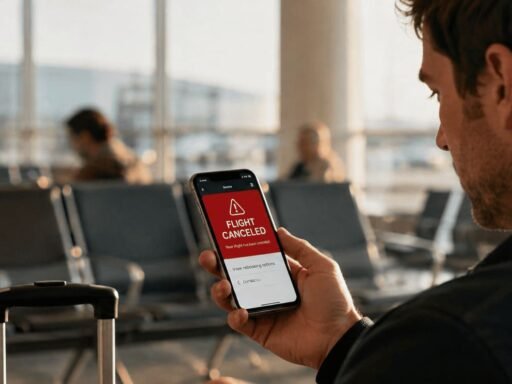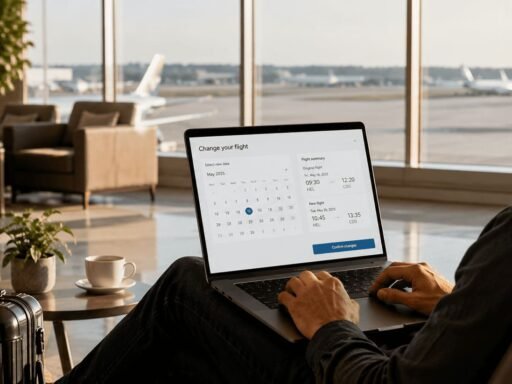




Quick answer: Finnair’s Manage Booking tool, available online and through the app, lets you check in, change seats, add baggage, pre-order meals, and in many cases change your flight date or cancel your ticket, all without a phone call. What you can change still depends on your fare type, but most day-to-day adjustments don’t require contacting customer service at all.
Most passengers end up using Finnair’s Manage Booking tool piecemeal, checking in for one flight, adding a bag for another, without realizing how much it actually covers. It’s Finnair’s self-service hub for handling nearly everything about your reservation from your phone or laptop, on your own schedule.
What Finnair Manage Booking Actually Does
Manage Booking lets you view and adjust your reservation, add extras, check in, and in many cases request changes or cancellations, all without dialing customer service. You’ll need your booking reference and passenger details to access it, either through Finnair.com or the app.
Beyond the convenience, it’s also where you can actually see what your specific fare type includes. Fare rules can be dense to read on their own, but Manage Booking surfaces them contextually. When you try to do something your ticket doesn’t allow, like changing a date on a Superlight fare, it tells you that directly instead of leaving you to dig through terms and conditions.
How to Access Finnair Manage Booking
- Go to Finnair.com or open the Finnair app.
- Select Manage Booking.
- Enter your booking reference (found on your confirmation email) and your last name.
- Choose the flight or passenger you want to update, and select what you’d like to change.
From there, the options shown will reflect what’s actually available for your specific ticket, since not every fare type supports every kind of change.
Flight Changes Through Manage Booking
This is one of the most useful features, but it comes with a real caveat: what you can do here depends entirely on your fare type.
Classic and Flex tickets can be changed online without a separate change fee in most cases. You’ll still owe the fare difference if your new flight costs more, and if you’re on a Flex ticket, you’ll get the difference back if the new flight is cheaper. Classic tickets typically don’t get that same refund.
Superlight and Light tickets generally don’t support date changes through Manage Booking at all, since these fares aren’t built for flexibility in the first place.
Phone-assisted changes usually come with an additional service fee on top of any fare difference, which is one more reason to check Manage Booking first before calling.
Cancelling a Flight Online
If your fare allows it, you can cancel and request a refund directly through Manage Booking rather than going through customer service. Whether you actually get money back still depends on your fare type. Flex tickets are the most likely to be refundable, while Superlight, Light, and Classic tickets are generally non-refundable outside the 24-hour cancellation window. If you’re dealing with a missed flight rather than a planned cancellation, our Finnair missed flight policy guide covers what happens next and how to rebook.
Seat Selection
You can choose or change your seat through Manage Booking at any point after booking, whether that’s right when you reserve your flight or separately, later on. This works the same way through the website or the app.
Adding Baggage
Adding checked baggage through Manage Booking ahead of time is almost always cheaper than paying for it at the airport, and it avoids the last-minute hassle of sorting it out at check-in.
Pre-Ordering Meals
You can pre-order a meal through Manage Booking, and you’ll pay at the time you place the order. As a general guide, meals should be ordered at least 24 hours before departure for most flights, though the exact cutoff can vary depending on where your flight departs from and the type of meal, so it’s worth checking the specific deadline shown for your booking. Only a limited number of meals are available per flight, so if your order doesn’t go through, the quota may already be full.
What Manage Booking Can’t Do
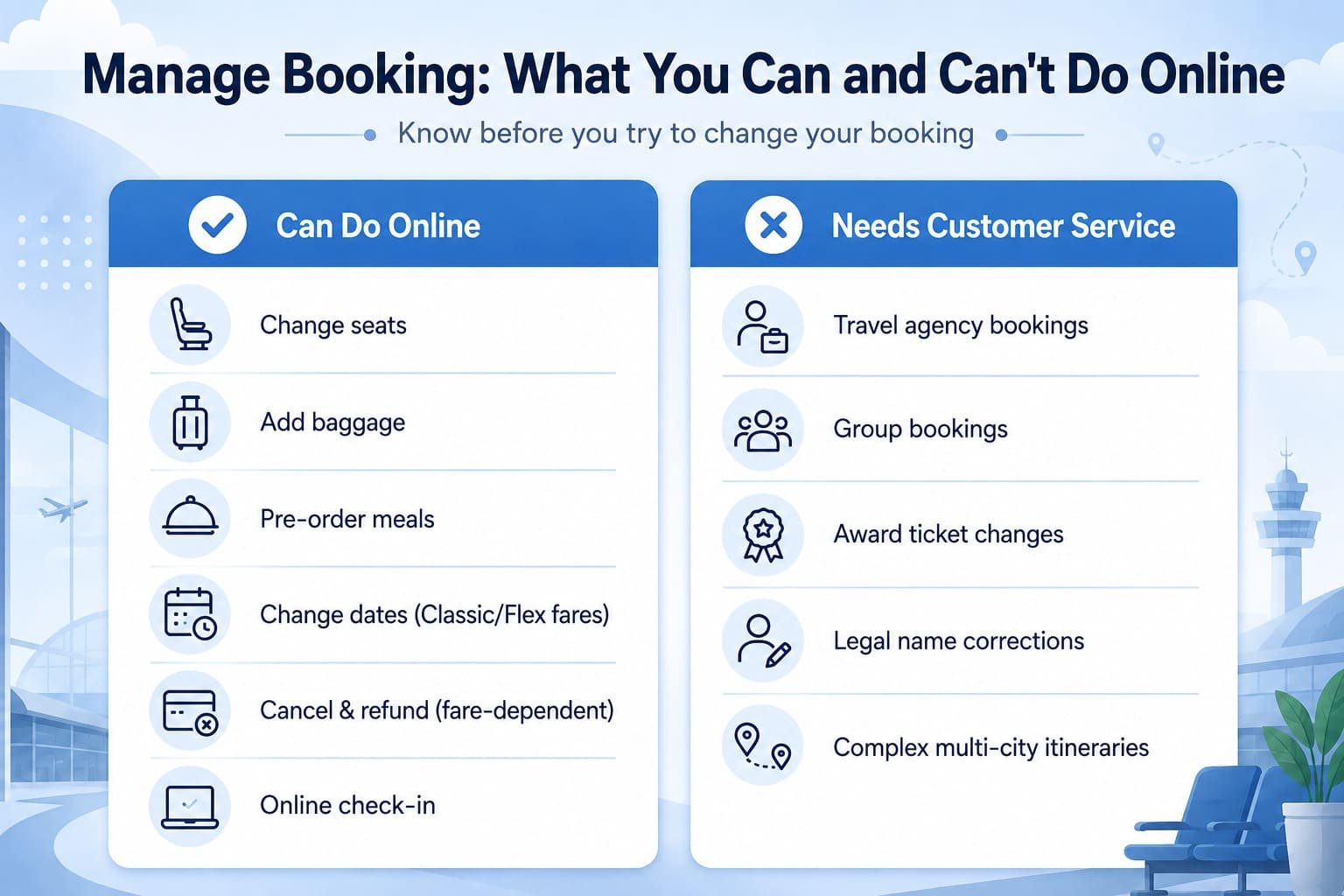
Manage Booking covers most day-to-day changes, but a few situations still need a phone call or a visit to an airport counter:
- Bookings made through a travel agency. These usually have to be changed through the agency, not directly through Finnair.
- Group bookings. These typically require contacting customer service directly.
- Award tickets booked with Avios. Changes and cancellations on these often go through a separate process.
- Complex or multi-city itineraries. These can sometimes be too intricate for the self-service tool to handle cleanly.
Knowing this upfront saves you from trying to force a change through Manage Booking that was never going to go through online in the first place.
Editing Passenger Details
Minor corrections, like a small typo in your name, can often be fixed through Manage Booking. Bigger changes, such as correcting a legal name or transferring a ticket to a different passenger, usually require contacting customer service directly, since these involve identity verification that the self-service tool isn’t set up to handle.
Other Travel Extras You Can Manage
Beyond flights, seats, and bags, Manage Booking also handles requests for:
- Cabin upgrades
- Lounge access
- Inflight Wi-Fi
- Pet travel requests
- Priority services
These can typically be added at booking or requested later as your plans firm up. If a cabin upgrade is what you’re after, our Finnair Business Class upgrade guide covers all four upgrade methods and what actually affects the price.
Online Check-In Through Manage Booking
Online check-in through Finnair opens 36 hours before departure for most flights, or 24 hours before departure specifically for flights to and from the United States. You can check in through Manage Booking or the app, and it’s available around the clock regardless of where you are. Full details, including destination-specific closing times, are on Finnair’s official check-in page.
Frequently Asked Questions (FAQs)
Can I change my Finnair flight online?
Yes, if your fare type allows it. Classic and Flex tickets support online date changes; Superlight and Light generally don’t.
Can I cancel a Finnair flight online without contacting customer service?
Yes, Manage Booking lets you cancel and request a refund directly, though whether you’re eligible for a refund depends on your fare type.
How to edit passenger details on a Finnair booking?
Small corrections, like a name typo, can often be fixed through Manage Booking. Bigger changes, like a legal name correction, usually need customer service.
Can I change or cancel a group booking online?
Generally no. Group bookings, travel agency bookings, and award tickets typically need to go through customer service rather than Manage Booking.
How do I add baggage to a Finnair booking?
Through Manage Booking or the app, ahead of time. It’s typically cheaper than adding baggage at the airport.
How do I change seats on a Finnair flight?
Through Manage Booking or the app, using your booking reference and passenger details.
When does Finnair online check-in open?
36 hours before departure for most flights, or 24 hours before departure for flights to and from the United States.
Conclusion
Manage Booking covers far more than most passengers realize, from seat selection and baggage to date changes, cancellations, and meal pre-orders, though a few situations like group bookings, travel agency reservations, and award tickets still need a human. The one thing to keep in mind throughout is that your fare type sets the real boundaries on what’s possible. If you’re not sure what your ticket allows, our Finnair cancellation policy guide and Finnair date change policy guide break both down by fare type, which is worth checking before you assume Manage Booking can or can’t do something for your specific ticket.
This guide is independent travel information and isn't affiliated with or endorsed by Finnair. Policies, fees, and processing timelines can change, so always confirm the specifics of your own booking directly with the airline before making a decision.
Whether it's a cancellation, date change, name change, seat upgrade, or any other booking issue, our team can help you sort it out. Call us at +1-844-522-6968.